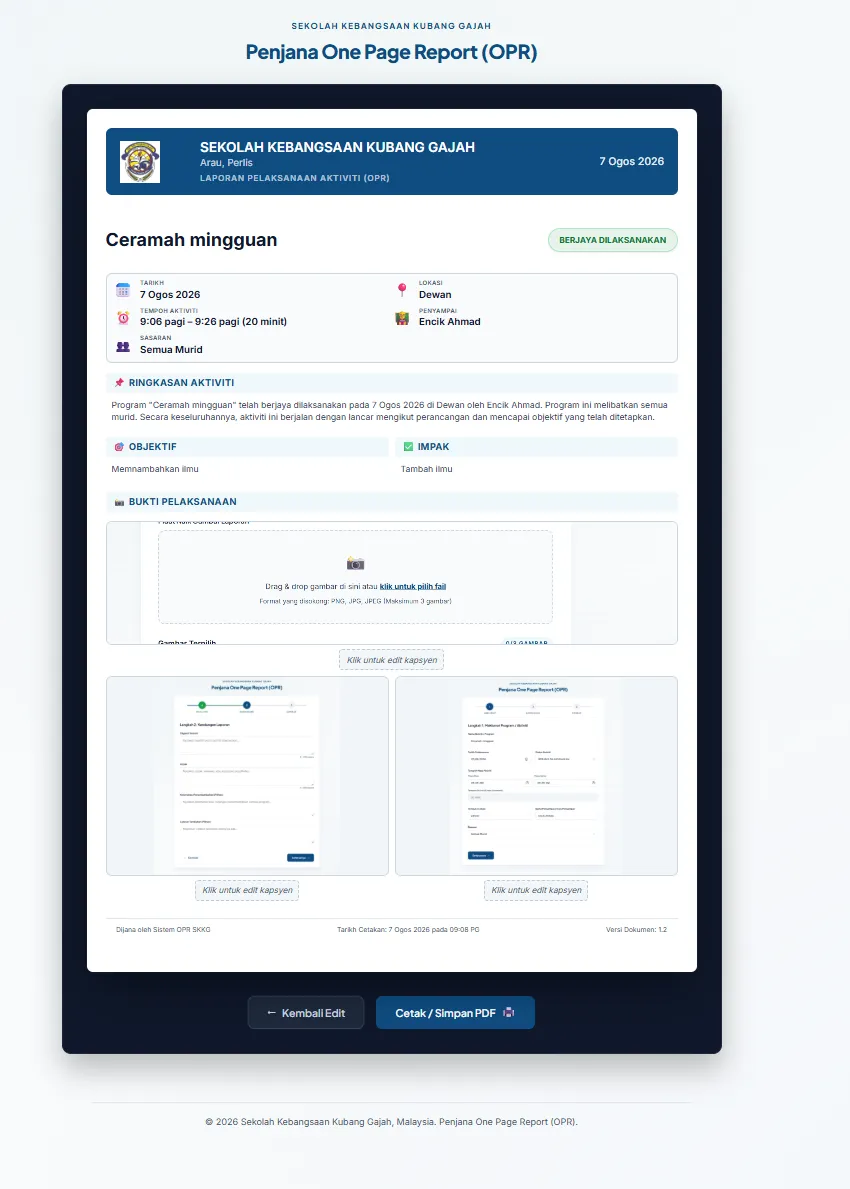
Problem
Malaysian schools file a One Page Report (OPR) — Laporan Pelaksanaan Program/Aktiviti — after each program or activity. Assembling one by hand in a word processor is fiddly: forcing the layout onto a single A4 page, placing photos at a consistent size, and keeping every report looking the same across staff who each have their own idea of what a report should look like.
SK Kubang Gajah needed a faster, repeatable way to produce these reports that anyone on staff could use without training or special software — on school machines, with school internet.
Approach
The tool is deliberately small: pure HTML, CSS, and JavaScript with no framework and no backend. A teacher fills in a short guided form in Malay, drops in photos, and gets a clean A4 report they can print or save as PDF.
Keeping it dependency-free means it runs straight from the browser — it can even be opened from a local file — so there is nothing to deploy, host, or maintain for it to keep working.
Architecture
The code is split by responsibility rather than bundled together:
form.js— the 3-step wizard (details, content, photos): stepper logic, input handling, and validation.photos.js— drag-and-drop upload of up to three images, with 1:1 thumbnail previews.render.js— builds the report DOM from the entered data.print.js— opens the print window tuned for a single A4 page.css/tokens.css— the design tokens (the "Sapphire & Slate" system) that keep every report visually consistent.print.css— a separate print stylesheet so the on-screen editor and the printed page can diverge where they need to.
Implementation
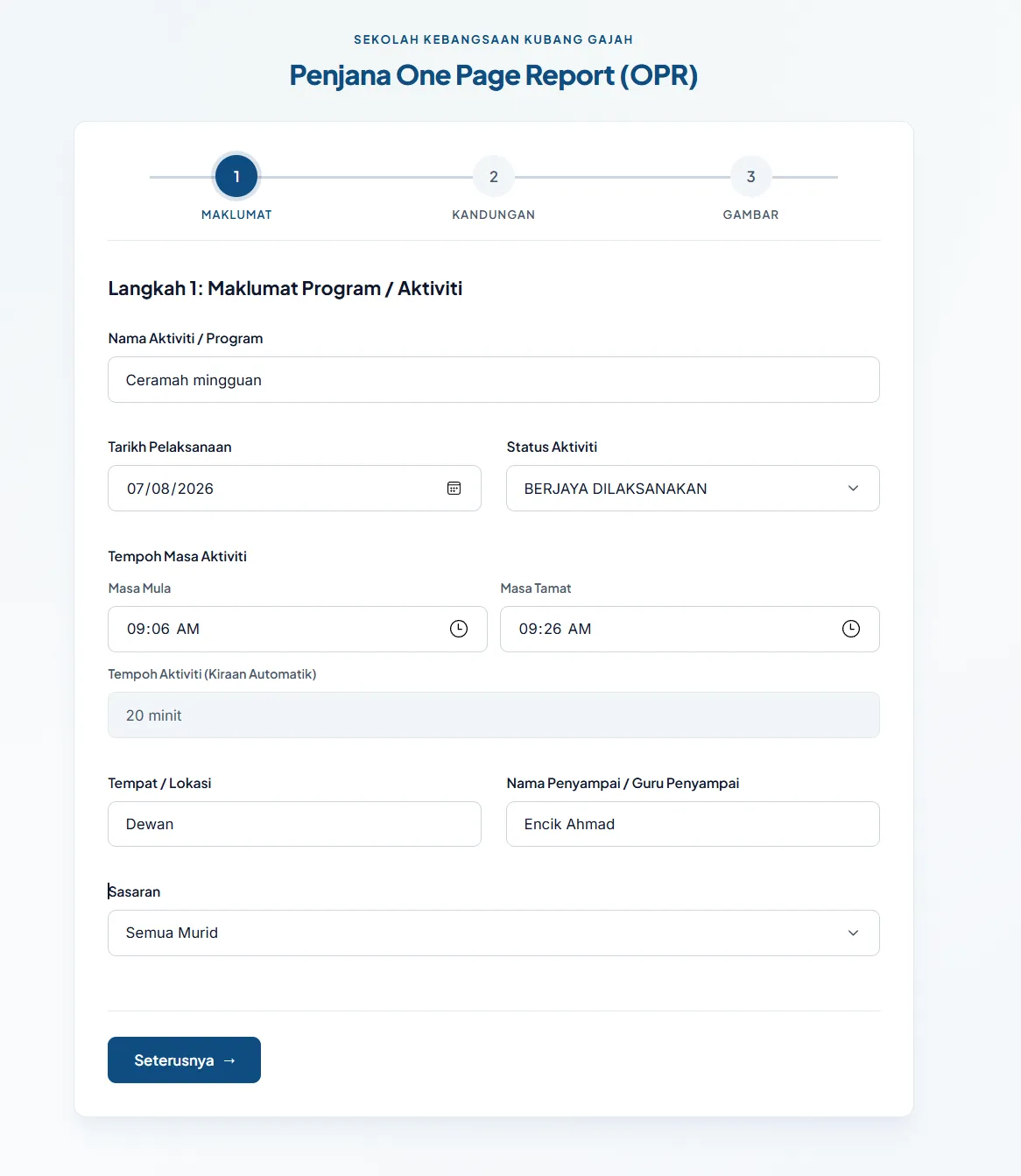
The input is a three-step wizard so a user is never shown the whole form at once. Step 1 is the administrative header — activity name, date, status, location, presenter, and audience — with the duration computed from the start and end times rather than asked for.
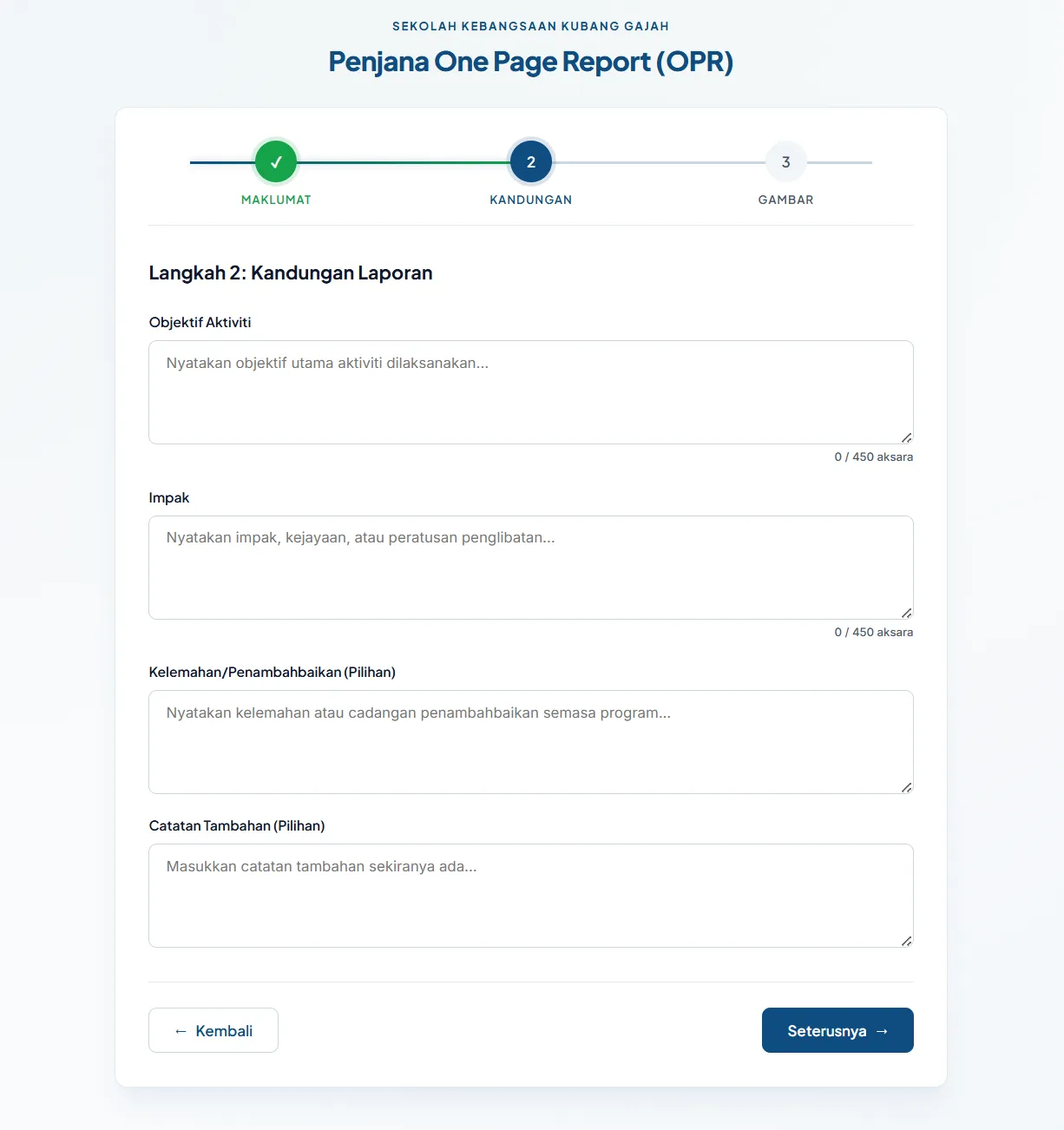
Step 2 is the written content: objective, impact, and two optional fields for weaknesses and notes. Each field is capped with a live character counter, because the real constraint here is not "what do you want to write" but "what still fits on one A4 page."
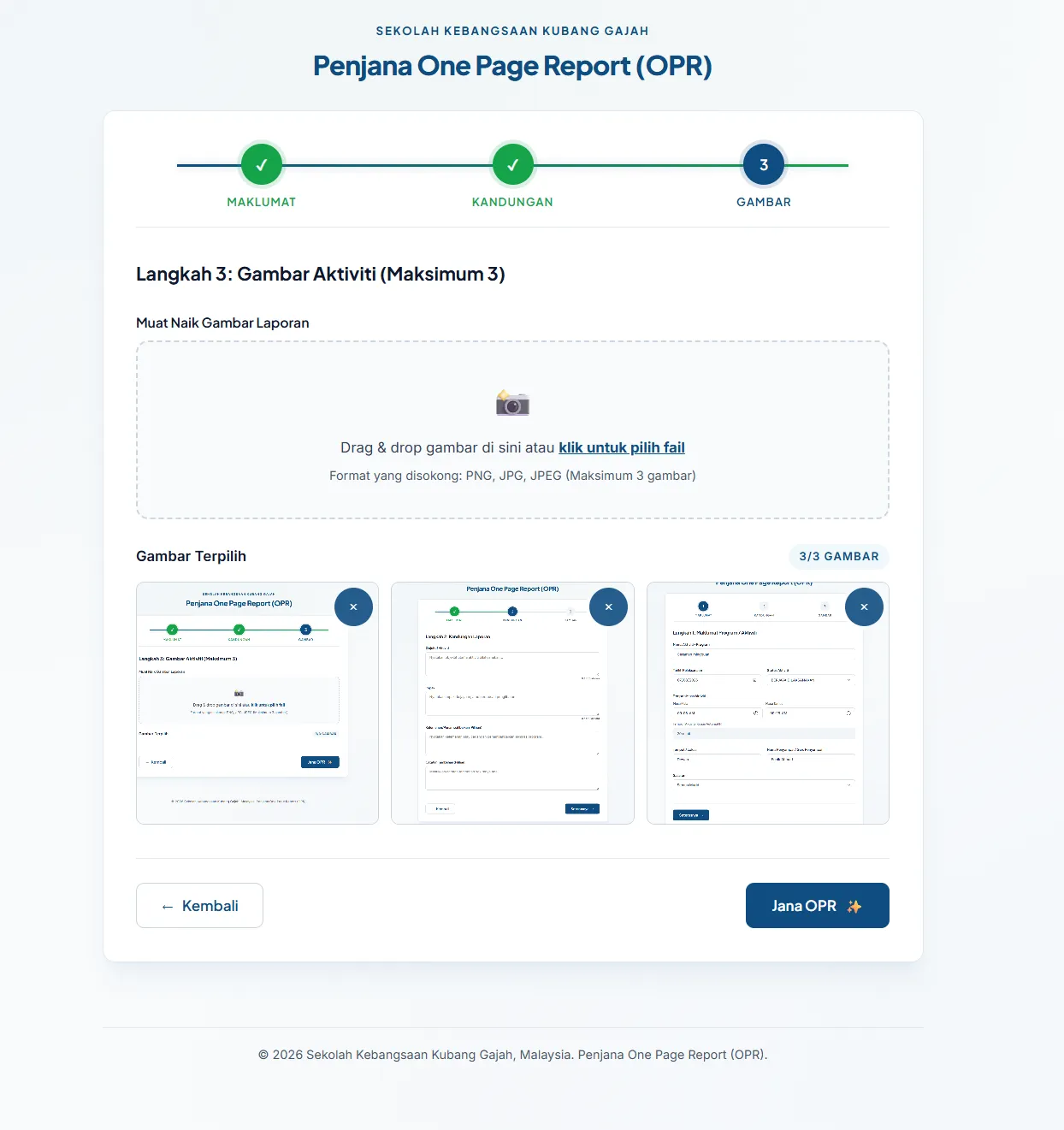
Step 3 takes up to three photos by drag-and-drop, previewed as square thumbnails so the final layout is predictable before anything is printed.
The generated report assembles all of it into the official layout — school header, status badge, a metadata block, an auto-written activity summary, the objective and impact panels, and the captioned photo evidence — then hands off to Cetak / Simpan PDF.
A logo presented a real offline constraint: loading it from a file would trip browser security (CORS) when the app runs from file://. The fix was to inline the school logo as a Base64 string, so it always renders in the printed PDF without depending on a server or external file.
Outcome
A single-purpose tool that produces a consistent, print-ready A4 OPR from a short form and a few photos — no installation, no account, and no internet connection required. It is deployed on the web for convenience but works identically offline.
Lessons Learned
Constraints clarified the design. "No framework, must work offline" ruled out the usual conveniences and forced direct solutions — splitting the JavaScript by job, separating the print stylesheet, and inlining the logo as Base64. For a tool with one clear task and non-technical users, the smaller surface is the feature: nothing to break, nothing to update, nothing to learn.